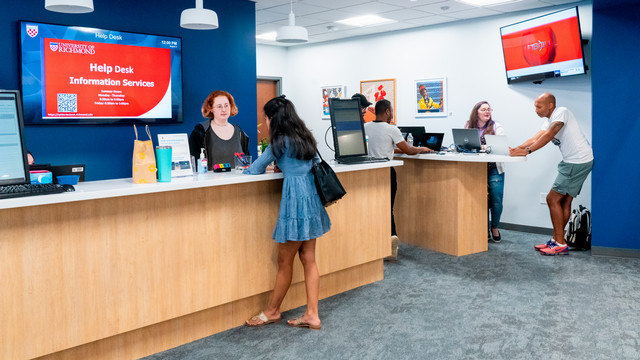
Help Desk Deeper Support
Sometimes technology problems can be especially hard to solve. The IS Help Desk has a group of six experts who work on tougher issues.
These Help Desk teammates have three focuses: they work on the tougher computing problems, provide additional support to the front-line team when things are busy, and work behind-the-scenes year-round to ensure that everyone’s computing experience is as smooth and easy as possible.
The team works every day with the Help Desk front line team profiled in a Winter 2026 article (Help Desk First Responders). In reality there is no division between the two groups: everyone works together on a daily basis, with the six deeper support team members on the phones or working at the Help Desk on the ground floor of Jepson Hall when things get busy.
The specialists divide their time between customer support and different efforts that keep the computing experience at Richmond such a smooth one for so many. Several support the process that replaces one quarter of all computers on campus every year. That process includes development of the settings for every University-owned Windows or Macintosh computer. With diverse computing needs across campus, from designing lighting for theatrical sets to modeling protein interactions to administering student registration, the computers need to work well and work securely from the moment they are delivered.
And the community feels well supported. 94.4% of faculty and 98.3% of staff indicated in the February 2026 MISO Survey that they are satisfied or somewhat satisfied with support when they have a desktop or laptop computing problem. Further, 97.2% of faculty and 98.3% of staff say they are satisfied or somewhat satisfied with the Help Desk overall.
Here’s a quick look at each of the specialists, when they started at the University of Richmond, and what they do.
- Jeremiah Nelson, Technical Support Consultant (joined 2024) Jeremiah sets up and repairs Macs. On the pace of work at the Help Desk, Jeremiah says, “We don’t have a lot of quiet time. We’re like ducks on the water: smooth on the surface but paddling busy beneath.”
- Nick Lydick, User Services Macintosh Support Coordinator (joined 2008) Nick manages all Apple devices. When the issue is stubborn, Nick says, “The more difficult it is, the more motivated I am to solve it. I genuinely like what I do.”
- Wilbert Thacker, User Services Project Coordinator (joined 2018) Wilbert is in charge of all the technology moves on campus and all the secondary inventory. On serving more than 7,000 students, staff, and faculty, Wilbert says, “We’re so efficient, but there’s only twelve of us. You’d think there are a lot more.”
- Bobby Hayes, User Services SCCM Administrator (joined 1998) Bobby manages all faculty/staff Windows devices. When reflecting on how technology has changed over time, Bobby says, “When I started there were approximately 400 PCs. Now the Help Desk manages more than 2,000. But there aren’t too many issues—we keep things running smoothly.”
- Orlanda Stevens, Technical Support Consultant (joined 1991) Orlanda supports specialty software like Adobe Acrobat DC, SPSS, etc., on PCs and Macs. When it comes to connections with faculty and staff across campus, Orlanda says, “I’m proud to know so many people and that they feel I am nice and helpful.”
- David Brandon, Technical Support Consultant (joined 1999) David provides printer support across campus and supports the computer replacement process. When he reflects on everyone who works at the Help Desk, David says, “We all work as a team. It’s my work family.”
Mirinda McCants, User Services System Administrator & Team Lead (joined 2023) appreciates how everyone on the team works well together. “We rely on each other. We’re customer focused and reliable. We will find the answer and resolve the problem.”
Scott Tilghman, Director of User Services (joined 1998), brings the vision of delivering world class customer service to the University. When the Help Desk brings on a new hire they don’t touch any technology. Instead, they undergo three full days of customer service training.
Asked for one piece of technology advice for staff and faculty, the six specialists offered two. First, when having any kind of technology issue, they suggest you restart your device. Most of the time this will fix the problem. Second, be sure you are backing up your files regularly. Hardware can be replaced but your work could be lost in some situations. Having a backup of your files ensures that you can get back up to speed quickly.